
Choose a voice
Pick the voice your agent speaks in on calls, set how fast it talks and how freely it words its replies.
Each agent has its own voice settings. They live with the agent's phone setup, not in Settings, and Members and Managers can both change them. The three settings are Voice, which is the voice callers hear, Talking speed, which only some voices have, and Creativity, which is how freely the agent words its replies on calls.
Change the settings
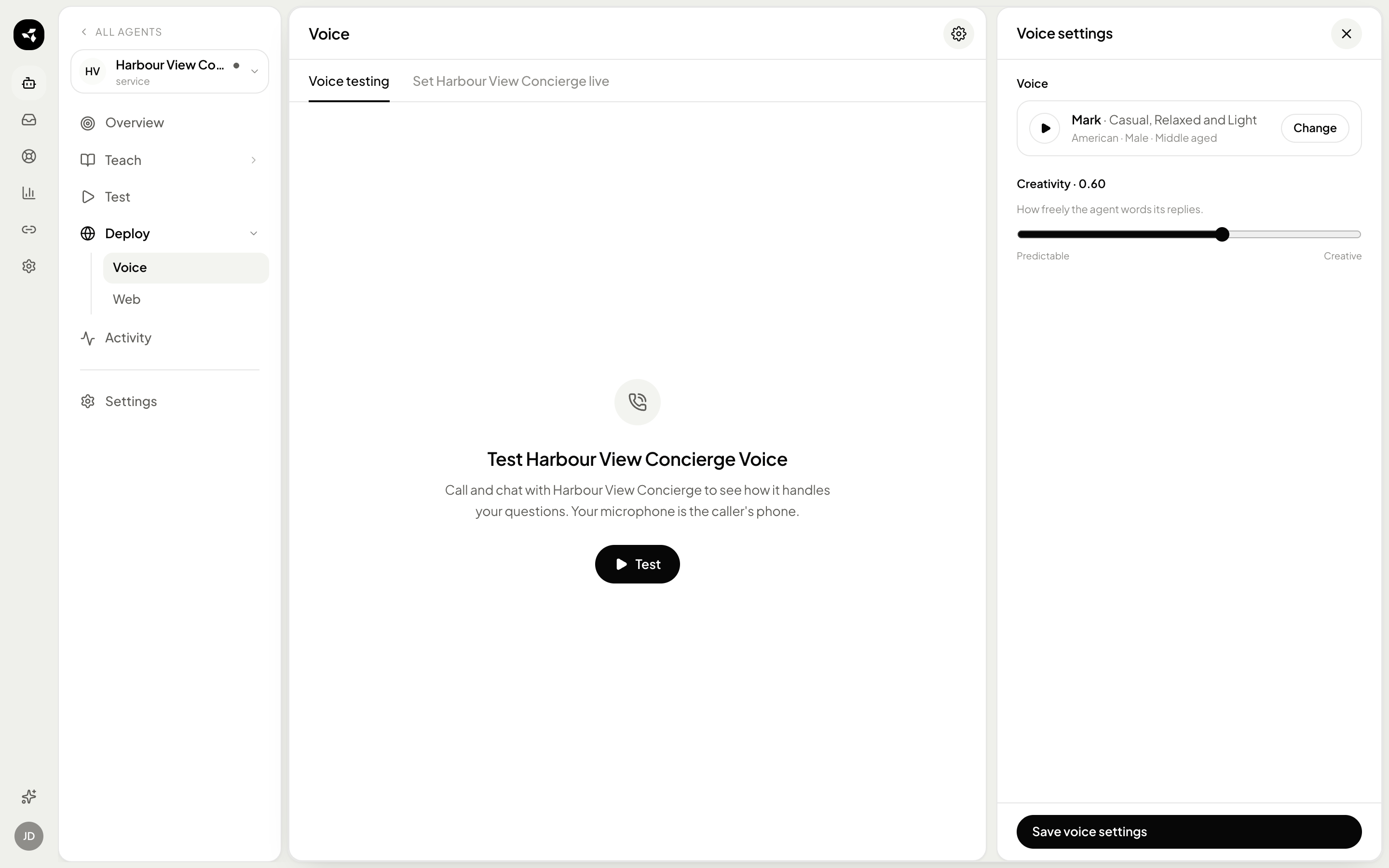
- Go to Agentsyour agentDeployVoice and choose the gear icon (Voice settings) in the top right. The settings open in a panel beside the page.
- Under Voice, choose play to hear the current voice, or choose Change to open the voice library.
- Choose a voice and choose Use.
- Set Talking speed if it is shown, and Creativity.
- Choose Save voice settings.
You see Voice settings saved. Nothing changes until you save. Choosing a voice in the library only picks it.
A hotel concierge might want a warm, unhurried voice with a lower Creativity so its wording stays consistent. A busy clinic line might prefer a brisk one.
Browse the voice library
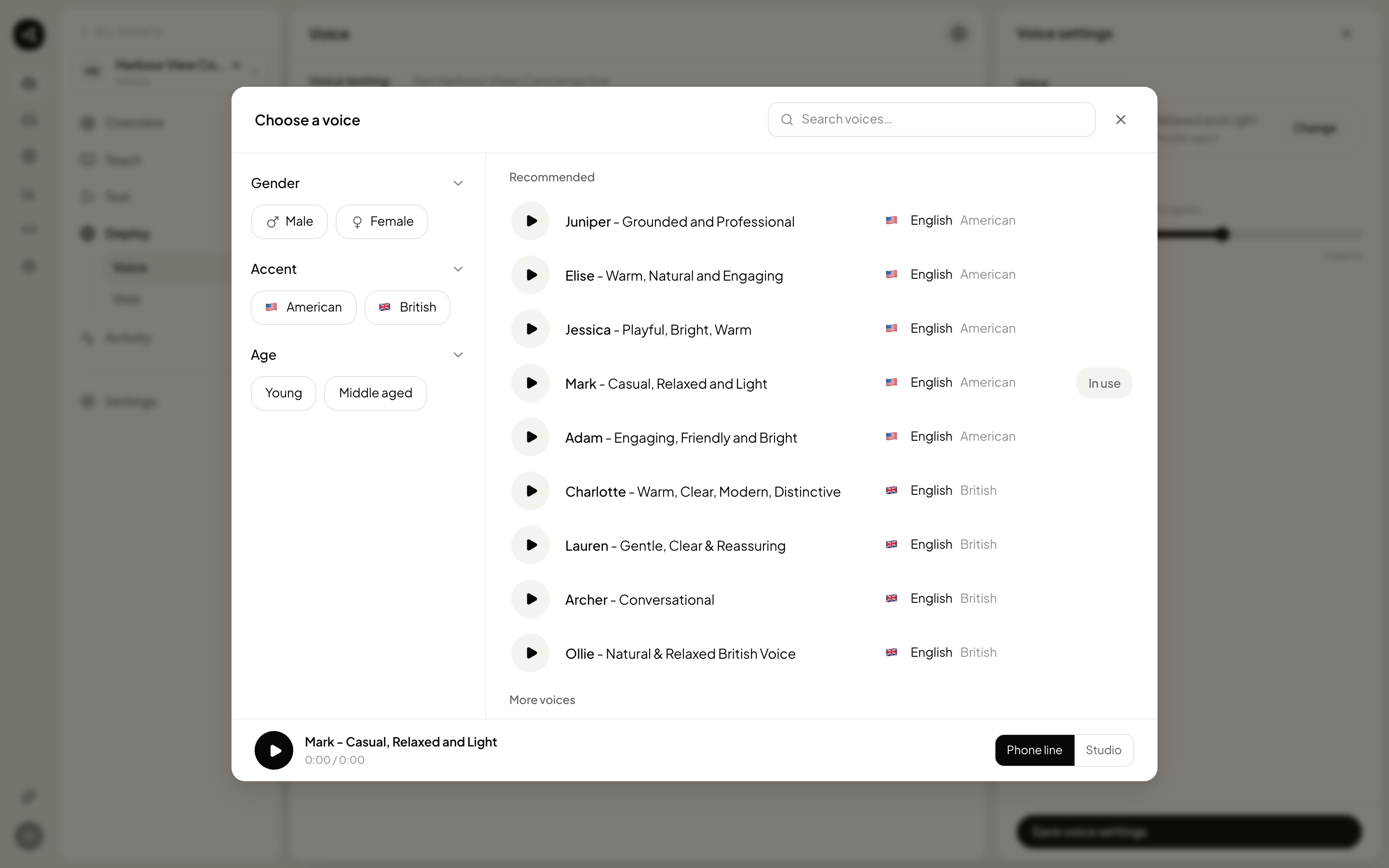
Change opens Choose a voice. It lists English voices with American and British accents.
- Type in Search voices… to match a voice's name, style, accent or gender.
- Filter by Gender, Accent and Age on the left. Choose Clear filters to start over.
- Choose a voice's play button or name to hear it in the player at the bottom.
- Hover a voice and choose Use to pick it. The voice you picked shows In use.
Recommended voices come first, and the rest are under More voices. A new agent starts with one of the Recommended voices.
The player has a Phone line and a Studio switch. Phone line plays the sample as it sounds on a phone call, and Studio plays it at full quality. Callers hear the phone-line sound, so judge a voice on that.
Set talking speed and creativity
Talking speed runs from 0.6x to 1.5x. Natural is 1.0x, which is the default. The slider only shows for voices that support it. If you don't see it, the voice you picked always talks at its natural speed.
Creativity runs from Predictable (0) to Creative (1). The default is 0.6. Lower values keep the agent's wording close and consistent from call to call, and higher values let it phrase things more freely. It changes wording, not facts or rules, because the agent still follows its persona, knowledge and playbooks. This setting applies to voice calls only.
When changes reach callers
Agents have no draft for voice settings. Once you choose Save voice settings, the next call uses the new voice, speed and creativity, including test calls. Calls already in progress keep the old settings. To hear the result, start a call on the Voice testing tab of the same page. See Make a test call.
If the service behind a voice fails during a call, Careflow switches to a similar stand-in voice with the same gender and accent, so the call carries on.
What callers hear while the agent works
When the agent looks something up, such as an order or a booking, callers are not left in silence. Some replies open with a short acknowledgement, like "Sure," or "Hmm,", so the caller knows they were heard. While a lookup runs, callers hear soft typing. If nothing has been said after about 1.5 seconds, the agent says one short line in its own voice, such as "Bear with me..." or "Just a moment...". As soon as the answer is ready, or the caller starts speaking, the typing stops.
These sounds and lines are set by Careflow. You can't change them, turn them off or write your own. Use filler words in Persona is a separate instruction about the agent's wording. It doesn't switch these sounds on or off. For tone, greeting and the other delivery settings, see Persona overview.
FAQs
Who can change the voice?
Members and Managers can both change an agent's voice settings.
Do I need to publish after changing the voice?
No. Once you save, the next call uses it. Calls already in progress keep the old settings.
Why is there no Talking speed slider?
The voice you picked doesn't support it and always talks at its natural speed.
Does Creativity affect chat?
No. It applies to voice calls only.