
Make a test call
Call your agent from your browser to hear its voice, timing and handoffs the way a caller would.
Your microphone is the caller's phone, so you hear the agent's voice, timing and handoffs as a caller would. The agent doesn't need to be published or have a phone number for a test call.
Place a test call
- Go to Agents in the main sidebar and open your agent.
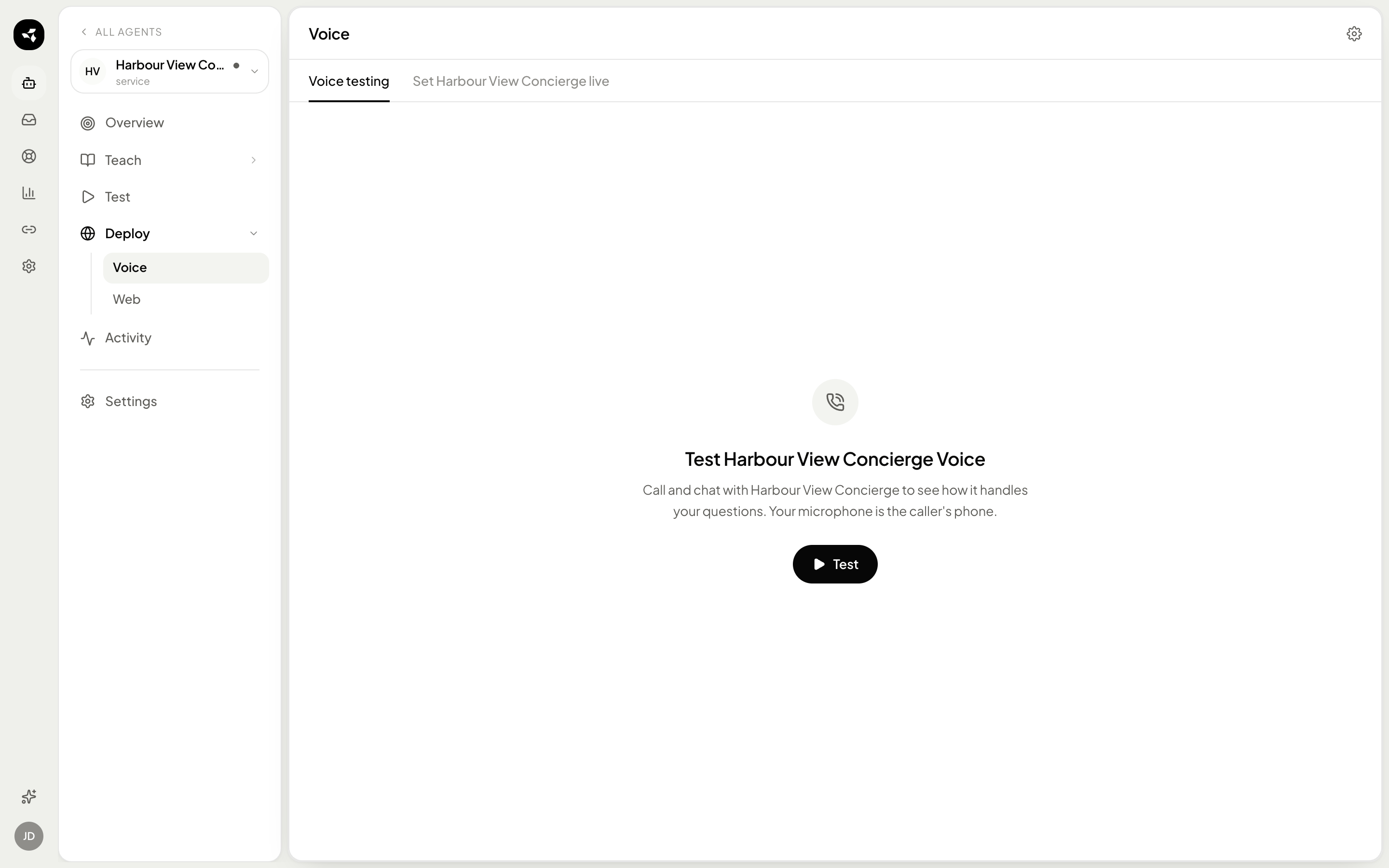
- Choose Deploy, then Voice.
- Stay on the Voice testing tab. It reads "Test agent name Voice".
- Choose Test and allow your browser to use the microphone.
- Talk to the agent. The transcript fills in as you both speak.
- Choose Disconnect to end the call.
Choose Test again for a new call. If you run a clinic, try the greeting, then a common question like "What time do you open on Saturday?", then a request that should reach a person.
Start a call from the Test page
You can also start a call from the chat on the agent's Test page. Choose the phone icon next to the message box. The call follows the same rules as any voice test call.
What a test call does for real
A voice test call is a dry run for handoffs only.
- It runs your published playbooks, not your drafts. Publish a playbook first if you want to hear a change.
- Tools that change things really run, so a booking or a cancellation really happens.
- A handoff is spoken but never real: nothing goes to the Handoffs queue, no one is notified, and no automations or call forwards run.
- The agent's persona and settings are what you last saved. Voice settings have no draft either.
Try writes in a text test first, where they're held back. Before a test call, point tools at test accounts.
In the Inbox, a voice test call shows as Test call.
What to check on a test call
Listen for how the agent sounds, not only what it says. Is the greeting short? Do replies make sense by ear, with no reliance on lists or links? Does a handoff say its line and then do what you planned? To change how the agent sounds, open the voice settings with the gear icon in the top right. See Choose a voice.
A test call is also a good way to rehearse the whole script with a colleague listening. Have them play the caller while you watch the transcript, then swap. Callers can't see anything on a screen, so anything that depends on a button or a link in the reply is worth fixing before you go live.
When you're happy with the test call, the next step is a number. See Go-live checklist.
FAQs
Do I need a phone number to make a test call?
No. The call runs in your browser with your microphone.
Does the agent need to be published?
No. Test calls work whether or not the agent is published.
Why did the call ignore my playbook changes?
Test calls run published playbooks. Publish the playbook, then call again.
Can a test call notify my team?
No. In a test call the handoff line is spoken, but nothing goes to the Handoffs queue, no one is notified, and no automations or call forwards run.