
Agents overview
An agent is one AI helper for your business that you teach once and put on every channel.
An agent is one AI helper that answers customers for your business. You teach it what to know and what to do, then put the same agent on a phone number and your website chat without rebuilding it.
The dashboard calls it an Agent. Some screens and the API still say assistant for the same thing (see the Glossary).
Picture a small hotel. Guests call to ask about check-in times, breakfast and parking, and others type the same questions into the chat on your website. Instead of building one bot for the phone and another for the web, you build one front desk agent. It gives the same answers in the same voice wherever the guest finds it.
What you can do
Teach it once
An agent is made from five things you add under Teach: knowledge, playbooks, tools, handoffs and a persona. Knowledge is the facts it can answer from. Playbooks are the procedures it follows. Tools let it act in your systems. Handoffs decide when a person steps in. Persona sets how it sounds. Each one has its own section, so you can start with knowledge alone and add the rest later. To see where each piece lives, read The agent console.
Serve every channel with one agent
The same agent can answer a phone number and a web widget, with no copies to keep in step. Knowledge is shared across the workspace and granted to agents, so you upload a document once and any agent you choose can use it. If you change the agent, every channel it serves gets the change. See Knowledge overview for how sharing works.
Build it by hand or with Copilot
You can create an agent yourself by naming it and choosing a language and role, or you can describe it in a sentence and let Copilot draft it for you to approve. Both paths end in the same place: an agent console you can keep teaching. See Create an agent.
Try it before customers do
The Test section lets you chat with the agent, and DeployVoice lets you try a call, all before anyone outside your team talks to it. A new agent is a draft, so nothing you do reaches customers until you publish it. See Publish and go live.
Change how it runs
Name, memory, built-in abilities and opening hours live in the agent's Settings. See Change agent settings. How it sounds, including its opening line, lives in its persona. See Persona overview.
Read the status
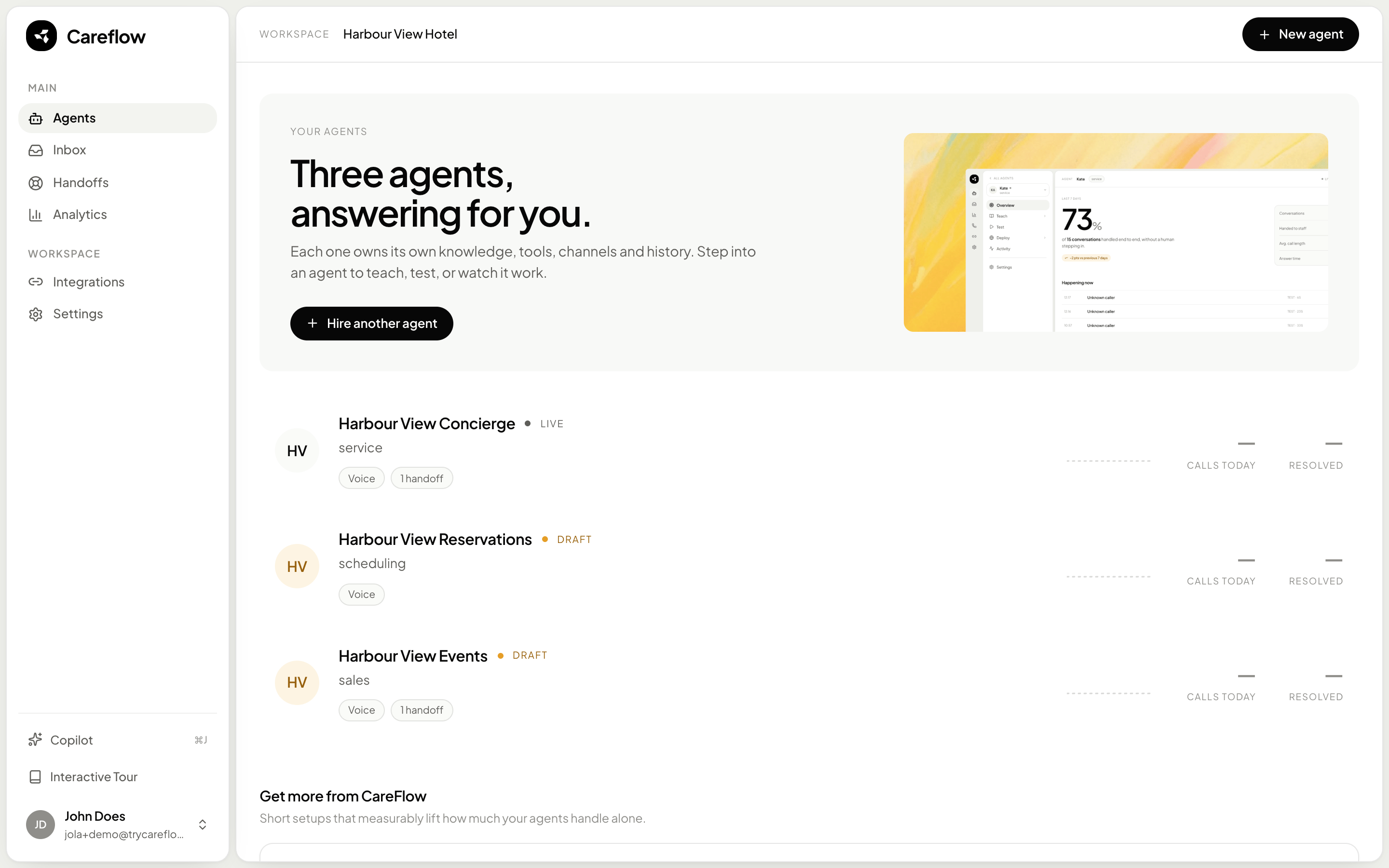
The Agents list shows one status per agent, so you can tell at a glance what is switched on.
- Live means the agent is published and answers on its channels: phone, the website widget and WhatsApp.
- Draft means the agent has never been published. It does not answer on any channel.
- Draft · needs a channel means it is not published and nothing is set up for it to answer on yet.
Saving is different from publishing. An agent has one live copy and no separate draft. Once it is published, changes you save to its settings, persona or voice reach its next conversation. Playbooks are the exception: they keep a draft until you publish them. Calls already in progress are not affected.
Because saved changes reach a live agent, try new wording in Test before you save it.
Get started
- Create an agent: name it, teach it and try it.
- Publish and go live: switch it on and change it safely.