
Testing overview
Try your agent in chat and on a call before customers do, and know which parts of a test are real.
Testing lets you talk to your agent the way a customer would, before anyone real does. You can test in a text chat, in a playbook draft, or in a voice call from your browser.
Each kind of test is built for a different question. Some run your unpublished drafts and hold back anything that would change real data. A voice test call runs your published playbooks and runs writes for real, but never creates a real handoff. Knowing the difference keeps your tests safe and your results meaningful.
What you can do
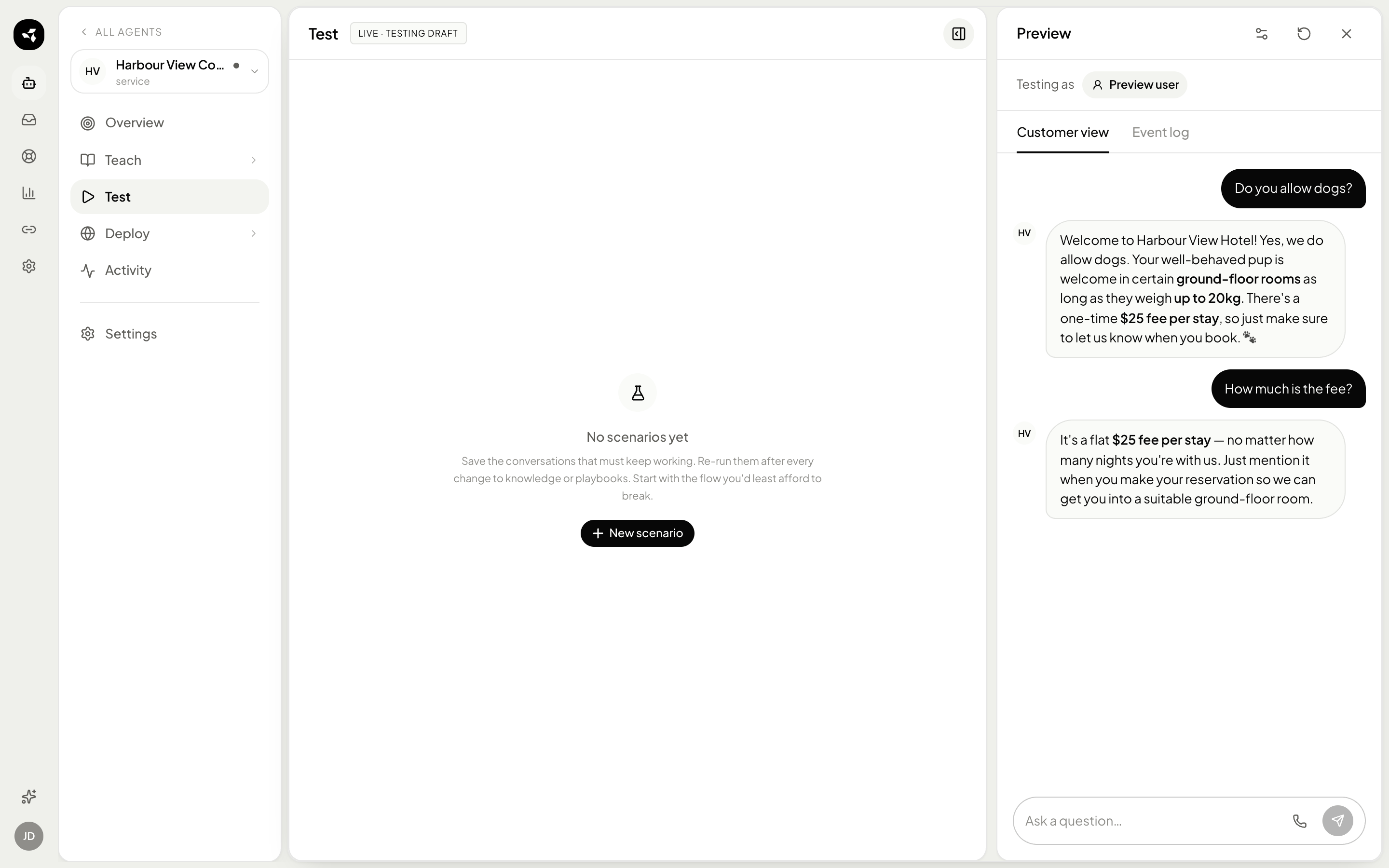
You can chat with the whole agent. The agent's Test page has a Preview panel where you type as a customer and read the replies, with an Event log that shows each step the agent took. This is the right place to check how playbooks, knowledge and persona work together. See Test in chat.
You can try one playbook while you write it. The playbook editor has its own preview that runs your draft and restarts whenever the editor saves. Use it to test a half-finished playbook step by step. See Try a playbook draft.
You can make a test call. On DeployVoice, the Voice testing tab turns your microphone into the caller's phone, so you hear the voice, the pacing and the handoffs. The agent doesn't need to be published or have a phone number. See Make a test call.
You can pick the right test for the job. If you're not sure where to start, the comparison lays out what each test runs and what it leaves alone. See Which test to use.
What's real in a test
Text tests run the real agent with the real model. Lookups really happen, so a hotel agent that checks room availability returns real availability. Anything that would change something is held back: if the agent would cancel a booking, it tells you what it would have done instead. Handoffs are off in text tests, so no escalation opens and no one is notified.
A voice test call is different. It uses your published playbooks and runs writes for real. Its handoffs are never real: the handoff line is spoken, but nothing goes to the Handoffs queue, no one is notified, and no automations or call forwards run. Test writes in a text test first, and before a test call make sure your tools point at test accounts.
Settings have no draft
Only playbooks have drafts. When you save the agent's persona or settings, the change applies to the live agent at once. So every test, text or voice, uses the persona and settings customers get today. Knowledge in a test is whatever is indexed now.
Where tests show up
Test chats appear in the Inbox as Test chat, and voice test calls as Test call. Test chats aren't counted as customer conversations. The chat panel says "Previews aren't billed as customer conversations." Careflow keeps no case record for a test chat.
Get started
- Test in chat: chat with your drafts and read the event log.
- Which test to use: choose the right test.