
Set tone and words
Choose your agent's tone, write always-say and never-say rules, and set how conversations open and close.
You set tone and wording in the agent's persona. The changes apply on every channel. Our example is a hotel front desk agent that should sound warm, use the hotel's full name, and never promise upgrades.
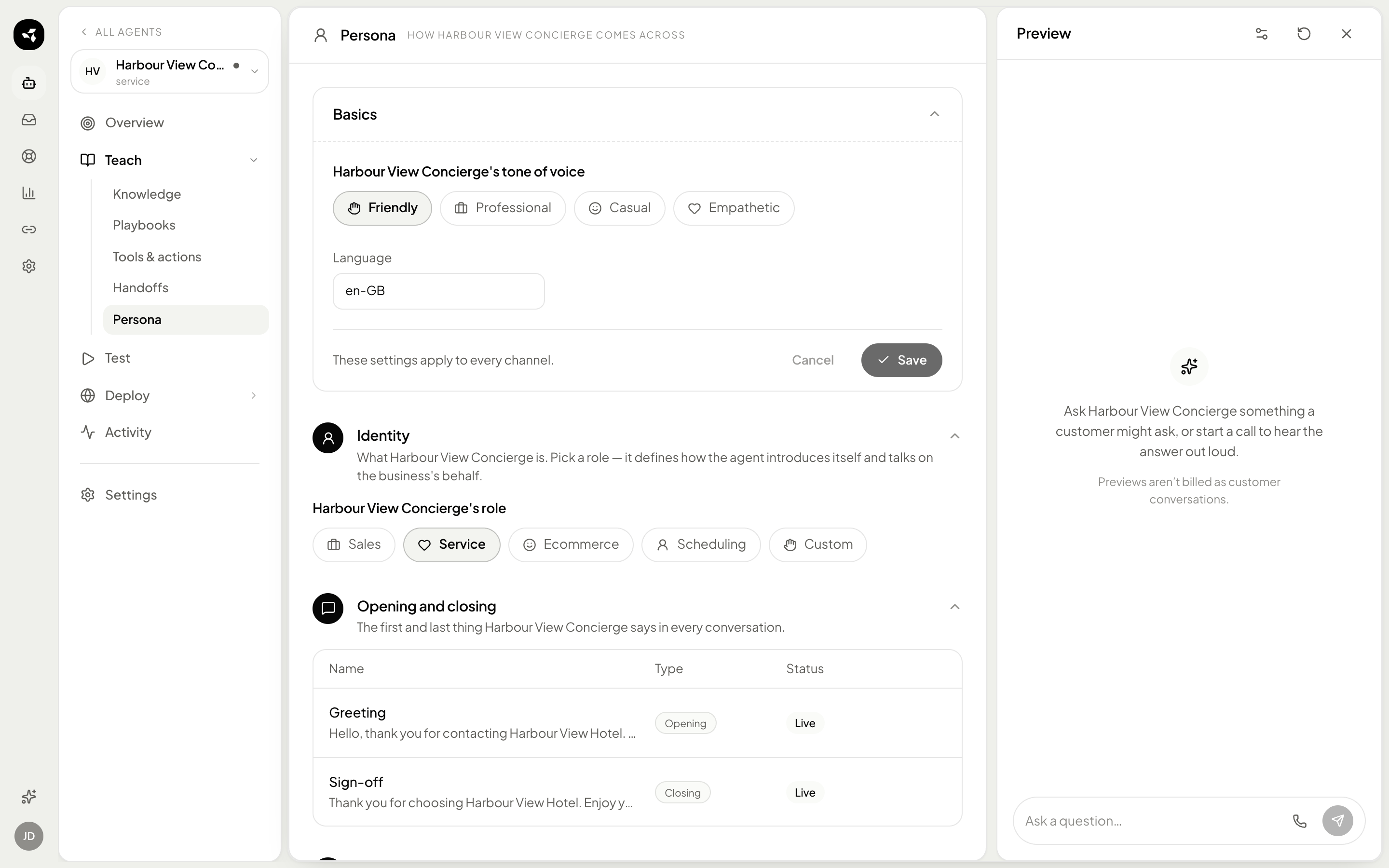
Choose a tone and role
- Go to Agents, choose your agent, then open TeachPersona.
- In Basics, pick a tone of voice: Friendly, Professional, Casual or Empathetic. Check the Language, for example en-GB.
- Select Save. Cancel drops unsaved choices.
- In Identity, select a role: Sales, Service, Ecommerce, Scheduling or Custom.
Roles save as soon as you select them, and Basics saves when you select Save. For the hotel you might choose Friendly and Service. The role shapes how the agent introduces itself and speaks for your business.
Write always-say rules
An always-say rule is wording the agent must use, such as your company name in its exact form.
- Go to Agents, choose your agent, then open TeachPersona.
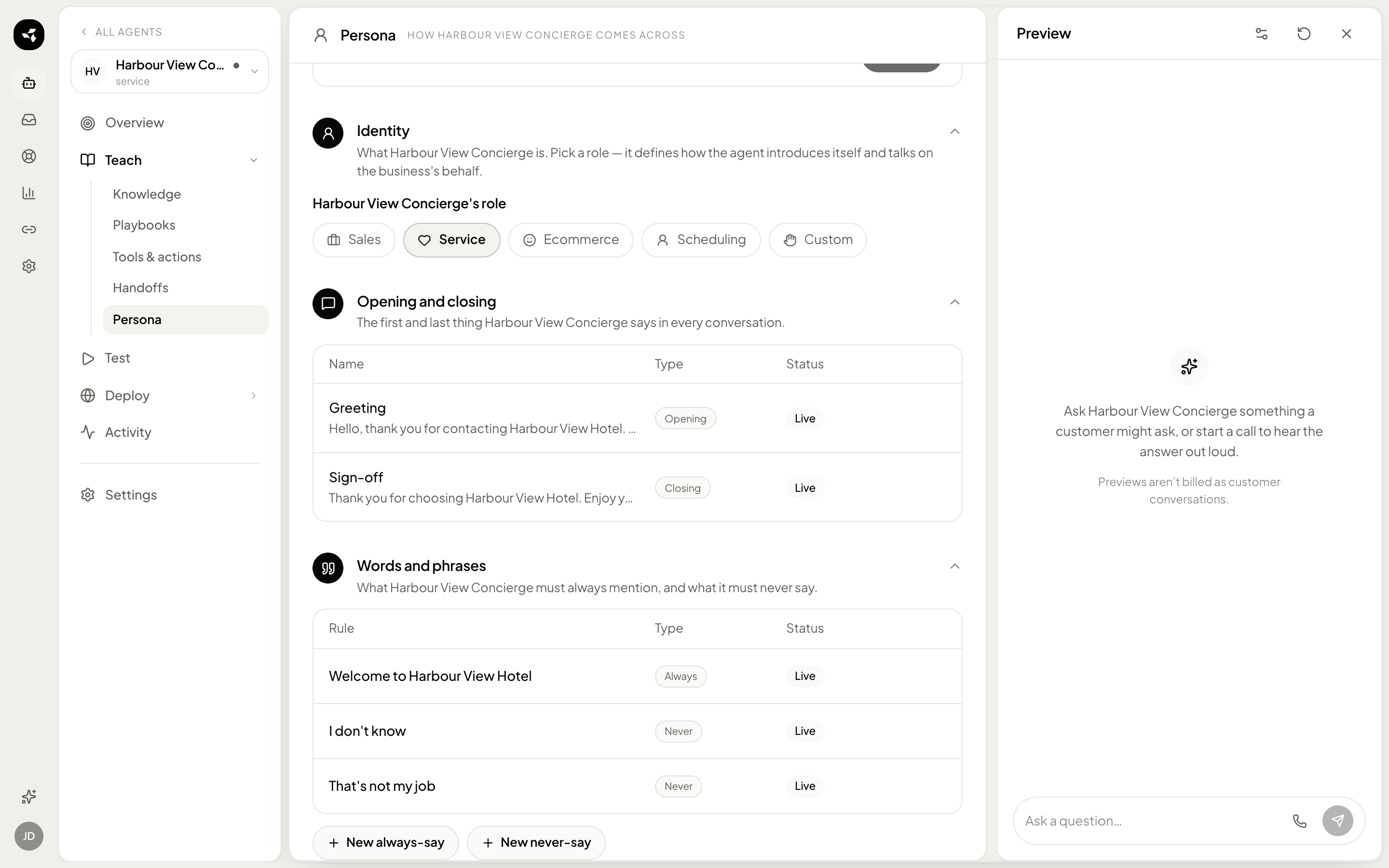
- In Words and phrases, select New always-say.
- Write the rule, for example "Always confirm the booking date and time back to the guest", and save.
The agent works each always-say rule in once, where it fits, not into every reply. To change or remove a rule, open its row in Words and phrases.
Write never-say rules
A never-say rule is something the agent must not mention or discuss, such as competitor names or promises your team cannot keep.
- Go to Agents, choose your agent, then open TeachPersona.
- In Words and phrases, select New never-say.
- Write the rule, for example "Never quote discounts. Offer to connect a teammate instead.", and save.
A strong rule is specific and says what to do instead. "Be polite about pricing" is weak, and the discount rule above is strong. In the same way, "Sound professional" is weak, and "Always confirm the appointment date and time back to the caller." is strong.
Set the greeting and sign-off
- Go to Agents, choose your agent, then open TeachPersona.
- In Opening and closing, open Greeting and write how conversations start.
- Open Sign-off and write how they end, then save.
The greeting is the first thing a caller hears or a visitor sees. It is set here, not in Settings.
Shape delivery on calls
- Go to Agents, choose your agent, then open TeachPersona.
- In Voice and delivery, switch Use filler words on or off, then select Save.
This choice applies to voice calls only. The voice, talking speed and turn detection are under DeployVoice. After saving, try the persona in Test, since saved rules reach new conversations right away on every channel. See Testing overview.
Pick the right tool for the job
Use Words and phrases for wording the agent must use or avoid. For a step-by-step decision, such as when to refund, use a playbook. See Playbooks overview. For where a conversation goes when a human is needed, use a handoff. See Handoffs overview.
For a hard limit that applies whatever step a playbook is on, such as escalating any legal threat, use a guardrail. Guardrails are checked throughout a conversation while a playbook runs, can apply to every playbook or just one, and show in the playbook trace when they fire. They are created through the API.
FAQs
Do persona rules apply to both phone and chat?
Yes. Everything in the persona applies on every channel, except Voice and delivery, which is for voice calls only.
Will the agent say my always-say rule in every reply?
No. It works each always-say rule in once, where it fits.
How do I remove a rule?
Open its row in Words and phrases and change or remove it.
Do persona changes need publishing?
No. They reach a published agent's next conversation as soon as they save. Try them in Test first.