
Settings overview
Settings is where you manage everything that is not a single agent: your team, your business profile, how customers reach you, how you are notified and how you pay.
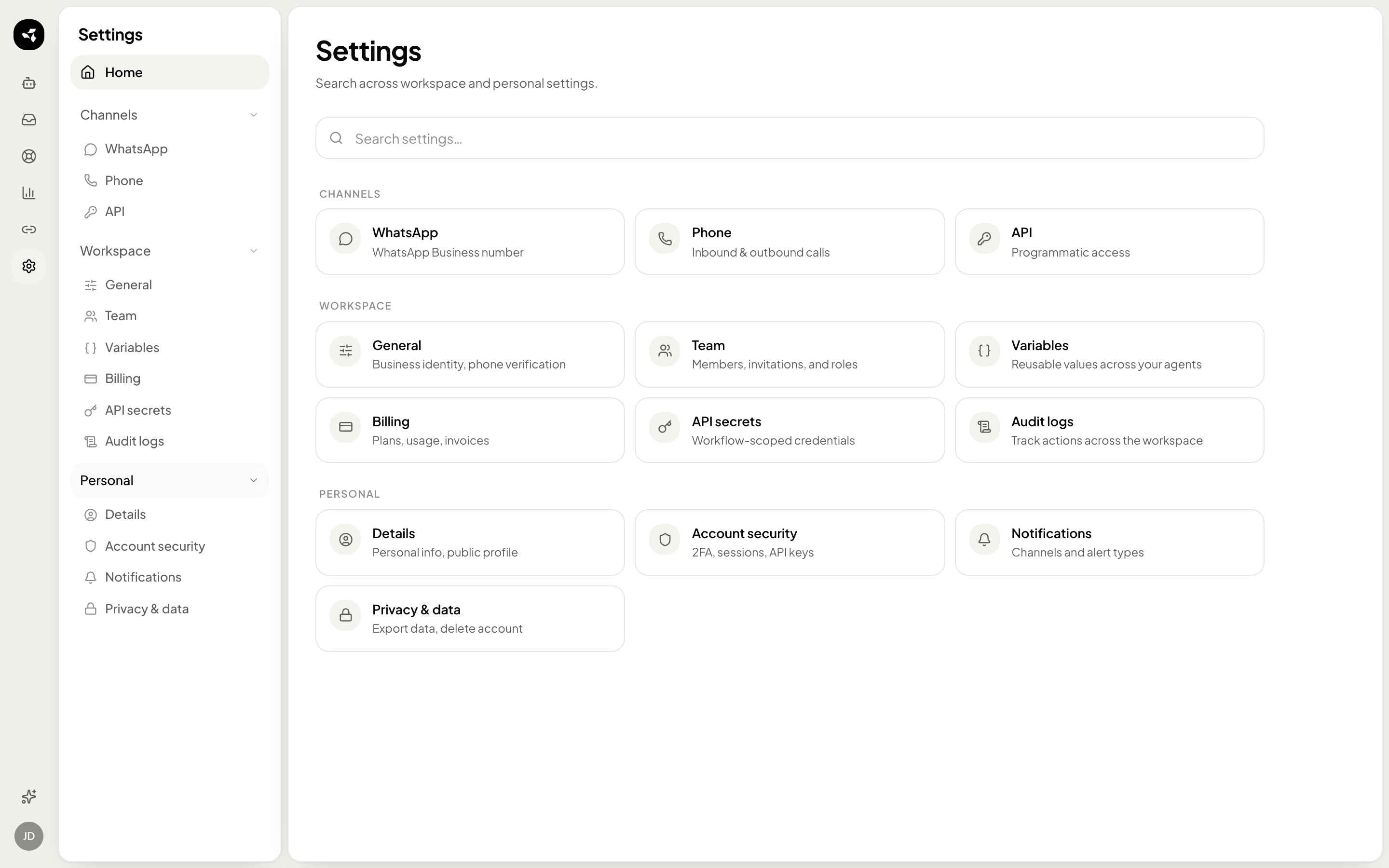
Workspace settings are the parts of Careflow that sit around your agents. Who is on the team, what your business looks like to customers, how you get notified, and which plan you are on all live under Settings in the main sidebar. It is organised into three groups: Channels, Workspace and Personal. Integrations sits in the main sidebar, not in Settings.
Take a clinic with a front desk agent. The practice manager sets up the phone number and billing, a receptionist builds the agent's knowledge, and everyone sets their own notification preferences. Settings is where each of those jobs lives, and the role you hold decides which parts you see.
What you can do
Connect your channels
The Channels group is how customers reach you. WhatsApp connects your WhatsApp number. Phone is where you buy, import and manage phone numbers. API is where you create API keys for your own software. The web widget is set up per agent, under the agent's DeployWeb. See Channels overview.
Run the workspace
The Workspace group covers the whole organisation.
- General holds the business profile. See Business profile.
- Team is where you add teammates. See Invite your team.
- Variables keeps shared values your agents reference. See Variables and sensitive values.
- Billing manages your plan. See Billing.
- API secrets stores credentials your tools use.
- Audit logs shows who changed what. See Audit logs.
Look after your own account
The Personal group covers you. Details holds your name. Account security is where you change your password, turn on two-factor authentication and review your active sessions. Notifications sets how you are reached. Privacy & data is where you export your data, delete your account and see the workspace's conversation retention. See Notifications and Security and privacy.
Where to start
If you have just created your workspace, do three things in order. Fill in the business profile under General. Invite the people who will build and run your agents. Then check your own Notifications so billing and usage alerts reach you. After that, most of your time will be in the agent console rather than Settings, and you will come back here when something about the workspace changes, such as a new teammate, a new phone number or a plan change.
What you see depends on your role
Members see Team, Variables and the Personal group. Everything else in Settings, the Channels group, General, Billing, API secrets and Audit logs, is for Managers and stays hidden from Members. Managers also set conversation retention. The Owner can additionally delete the workspace. See Roles and permissions.
If you can't find a setting, check your role first. Ask a Manager to make the change, or to change your role.
Get started
- Business profile: set your identity before anything else.
- Invite your team: bring your team in and assign roles.