
Add conditions
Branch a playbook with IF and ELSE blocks, written in words or as an exact rule.
Conversations don't always go one way. A booking is found or it isn't, a guest is happy or upset. Conditions let the playbook take a different path in each case.
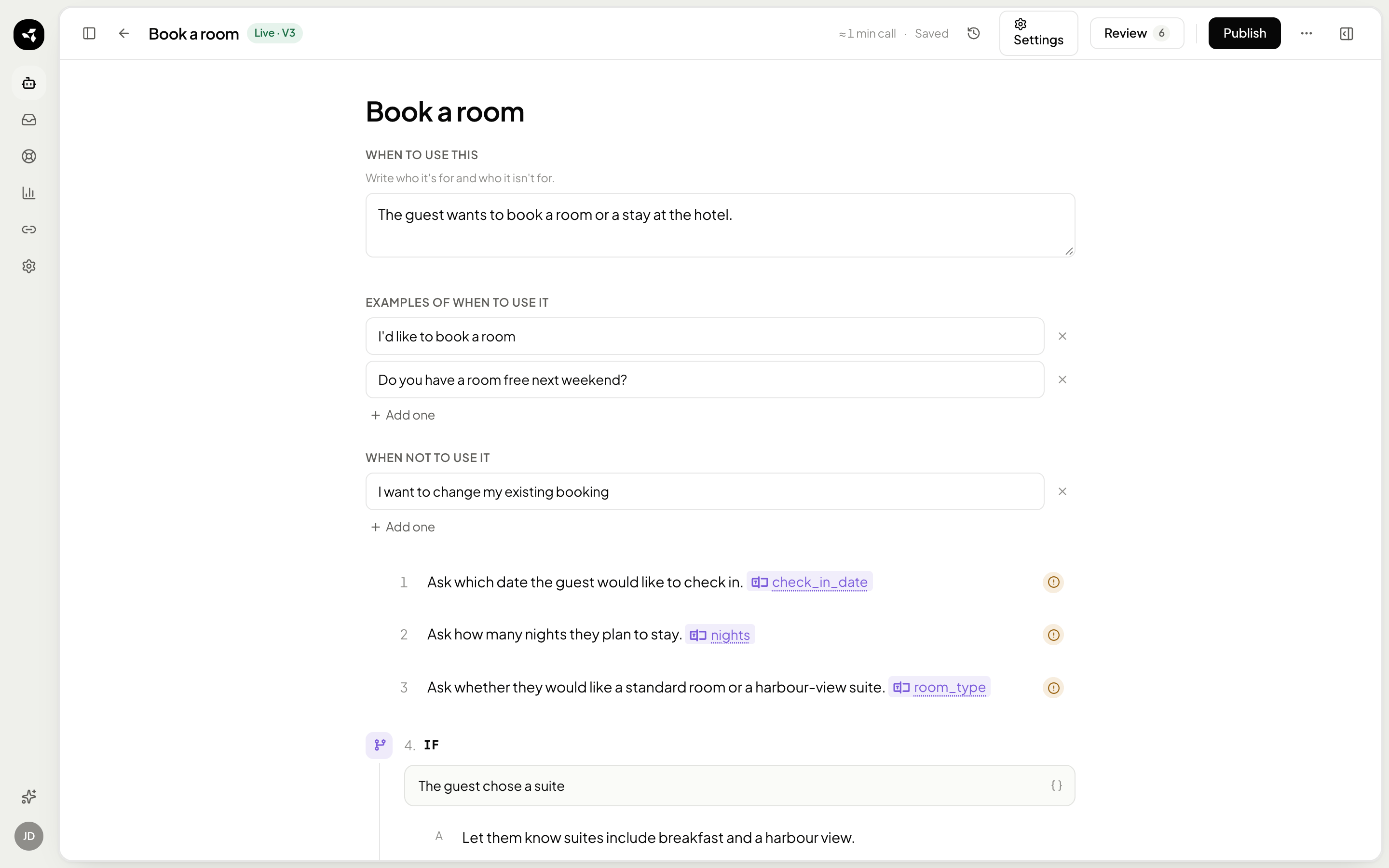
Add an IF block
- Go to TeachPlaybooks and open a playbook.
- Choose Add a condition at the bottom of the document, or type
@in a step and choose If…. - Write the condition.
- Write the block's steps inside it.
An IF block holds its own steps, numbered A, B and so on. Conditions sit at the top level of the document, so you can't put one inside another. If a branch needs a further branch, restructure the steps or split the job into a second playbook.
Add an ELSE
- Find the IF block.
- Choose the + at the end of the IF branch.
- Choose Add else condition.
The ELSE block holds the steps for when the condition isn't met. A hotel might write IF the lookup found nothing, ask them to check the reference. ELSE, read back the dates and ask them to confirm.
Choose how to write the condition
You can write a condition two ways, and the small button beside it switches between them.
In words
This is the default, for example the customer is upset. When the conversation reaches the block, the agent answers yes or no about the conversation so far. No clear answer counts as no. Use words for judgements a person would make, like mood or intent.
As an exact rule
An exact rule looks like order_total > 100. It's checked against collected values, workspace variables and tool results. Use a rule for anything with a number or a definite value.
To branch on a tool, pick its result from Tool results in the rule, for example find_booking.result == "nothing found". A result is worked, nothing found or couldn't run.
Check the branch with a trace
If a condition goes the wrong way, run it again in Dry run. For a condition written in words, the trace shows the agent's yes or no. If it keeps going the wrong way, reword the condition or switch it to an exact rule. See Troubleshoot playbooks with traces.
FAQs
Can I put a condition inside another condition?
No. Conditions sit at the top level of the document and can't be nested.
What happens if the agent isn't sure about a condition in words?
No clear answer counts as no, so the playbook takes the path for when the condition isn't met.
Should I use words or an exact rule?
Use words for judgements, like "the customer is upset". Use an exact rule for values and tool results, like order_total > 100.
What results can a tool give?
worked, nothing found or couldn't run.